
Help topics
Your listing in the MiniKeepo Directory
Build your business listing, add a cover photo, publish it, reply to reviews and leave the directory whenever you want.
What it is for
The MiniKeepo Directory shows your business to people looking for services nearby. You decide what is shown: name, photo, description, hours and contact. You can leave whenever you want; the listing stays saved.
Before you start
Save your booking page or your store. Without one of them, the listing cannot be saved.
Only the owner or an administrator changes the listing and the cover.
Have a landscape photo of your place or of what you offer at hand.
Steps
Open My plugins › Booking page › Page. Open MiniKeepo directory: participation and terms and select My directory listing.
At the top choose the type: Bookings or Store. If you already published that listing, the name says "published". Next to Status: you see whether it is No listing, Draft, Published or Paused.
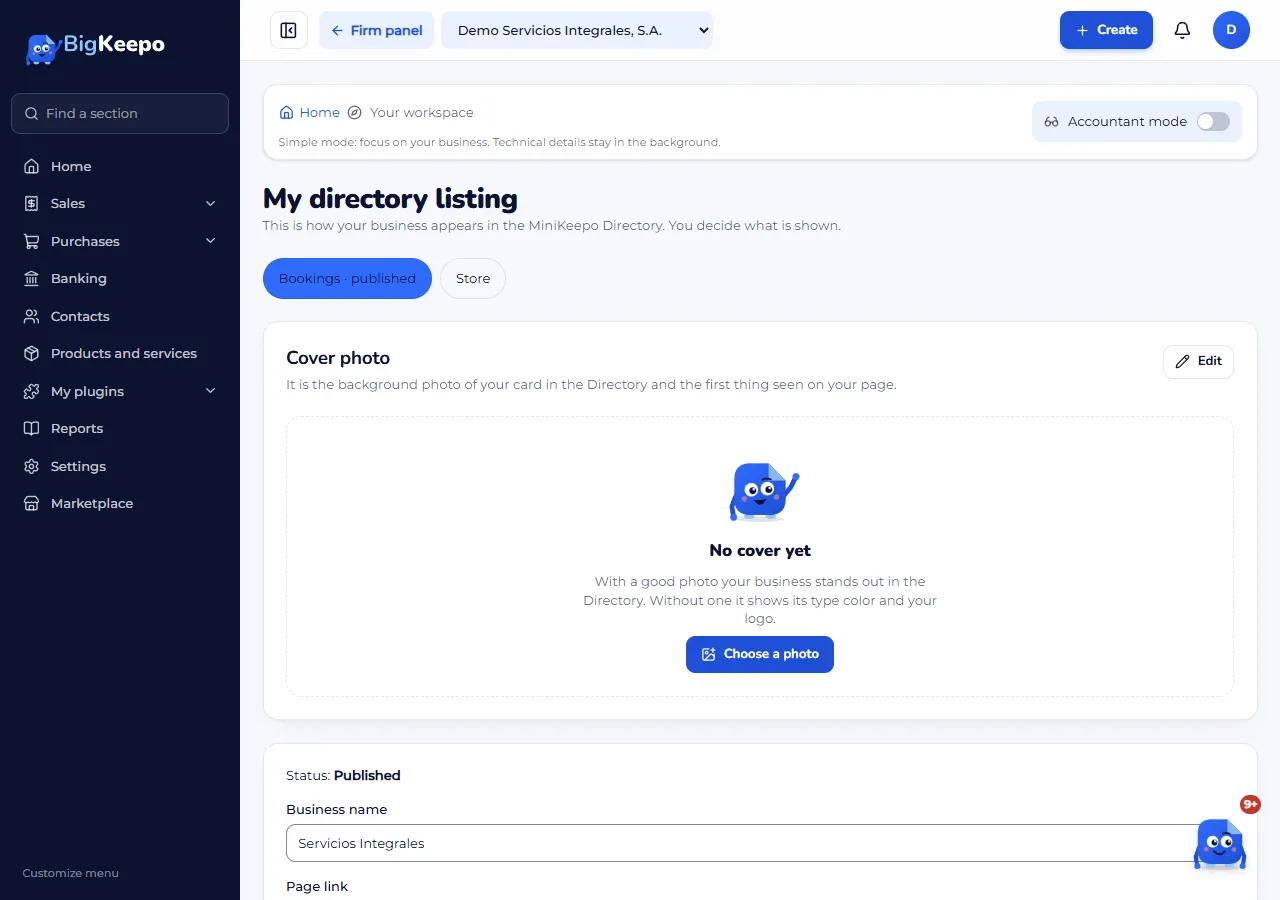
Fill in the details: Business name, Category, City, Description, Address, Price from, WhatsApp, Phone and Website (it must start with https://). Page link fills in by itself, with the link of your booking page or your store.
Under Hours, enter the opening and closing time of each day. Leave a day empty if you are closed.
Select Save draft. You will see Saved. The listing stays as a Draft: it is not shown in the Directory yet.
Under Cover photo, select Edit and then Choose a photo. It can be JPG, PNG or WebP, up to 5 MB, at least 1200 × 675 px and landscape (4:3 to 21:9). Tap the photo where the important part is, so it does not get cut off; if you want, describe what it shows in What the photo shows. Select Save. To replace it use Change the photo; to take it off, Remove the cover and Yes, remove.
Under Appear in the directory, read the terms, check I have read and accept the directory terms and select Publish listing. For the Bookings listing, first accept the commission terms in Bookings: the notice has the link Go to Bookings.
When you want to leave, select Leave the directory. The listing becomes Paused and stops being shown. To come back, check the terms and select Publish listing.
When there are reviews, you see them under Reviews of your listing. Write in Your reply (everyone sees it) and select Reply.
Expected result
Your listing is Published, with your photo, your hours and your contact. When the Directory opens, customers who arrive will see your business and be able to book or buy on your page.
If something goes wrong
It says "First create and save your booking page or your store.": save the page or the store and come back to this screen.
It says "First accept the commission terms in Bookings.": select Go to Bookings, accept there and come back. In Bookings, a commission applies only to the first appointment of a new client who arrives through the Directory; until the Directory opens, accepting does not generate any charge.
It says "The website must start with https://.": enter the full address, with https://.
It says "Check the hours: closing time must be after opening time.": correct that time.
It says "Someone else changed the listing. Reload the page and try again.": reload and repeat the change.
You do not see the Cover photo: it appears once the listing exists. Select Save draft first.
The photo does not work: the notice tells you why (too small, over 5 MB or not landscape). Choose another one.
It says "Your role does not allow viewing or changing the directory listing.": ask the owner or an administrator to do it.
Related articles
Was this helpful?