
Help topics
Set up your company
The first steps BigKeepo suggests after you create your company, one by one, and how to skip the ones you do not need.
What it is for
Getting started is the list BigKeepo prepares when you create your company. It tells you what is left to get it ready and takes you to each screen. Start with what concerns your business; your accountant can handle the accounting steps.
Before you start
Have your company created. If you have not yet, see Create your account and your company.
Steps
Open Getting started. At the top you will see how many steps are ready and the recommended Next step:.
Click the button on a step's card to go to its screen. The steps under Getting started depend on your industry; for example, creating your first invoice, recording an expense or connecting your bank.
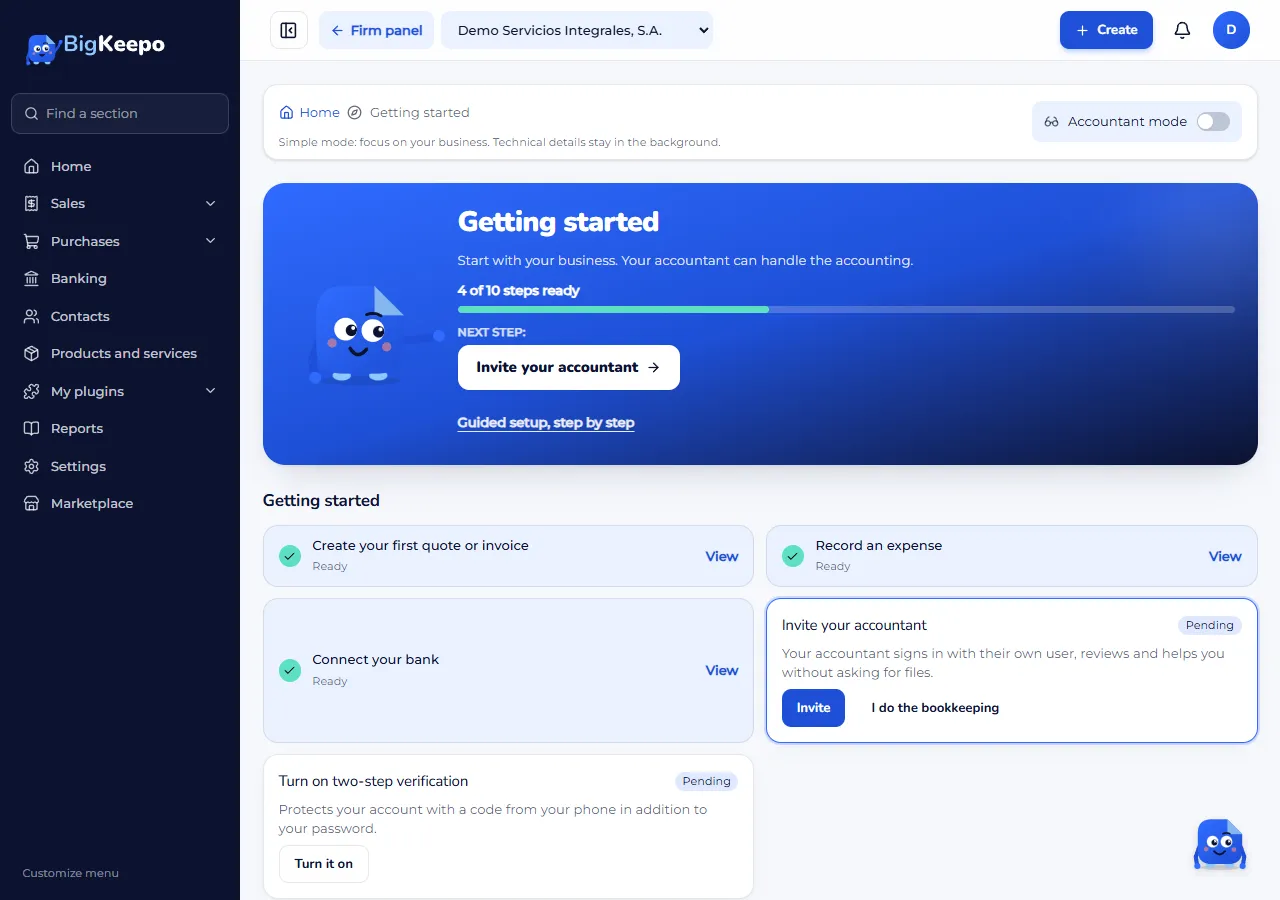
When you finish a step, its card changes to Ready. If a step does not apply to you, use its button to mark it, for example I start from scratch or I do the bookkeeping. To go back, click Undo.
Continue with the For your accountant section if someone else keeps your books. It holds the accounting steps they can do for you:
Choose your chart of accounts: the list of accounts where everything coming in and going out is organized. Choose the one for your type of business and entity, or start from scratch.
Register the owners: who the partners are and what share each one holds.
Review your details and fiscal year: the legal name and the month your fiscal year starts.
Enter opening balances: if your company already had transactions before using BigKeepo.
Adjust numbering: the prefix and the number your invoices start with.
Invite your accountant: they sign in with their own user, without asking you for files.
Expected result
When you complete or skip every step, you see Your company is ready. You can go back to any of them from Getting started.
If something goes wrong
It says "Choose your chart of accounts first.": some steps need the chart of accounts. Do Choose your chart of accounts first.
A button does nothing or says your role does not allow it: that step is done by the owner or the accountant. See Invite your team.
It says "read-only": your trial has ended. See Your trial and your plan.
Related articles
Was this helpful?