
Help topics
Tax rates
Load the ready-made taxes for your country and see the rates you can choose on each line of an invoice or an expense.
What it is for
Tax rates gathers the rates you charge or pay and the codes you choose on each line of an invoice or an expense.
Steps
Open Settings › Tax rates.
If your country has ready-made taxes, you will see the Load country taxes option. Select it to load them together with the accounts of your chart.
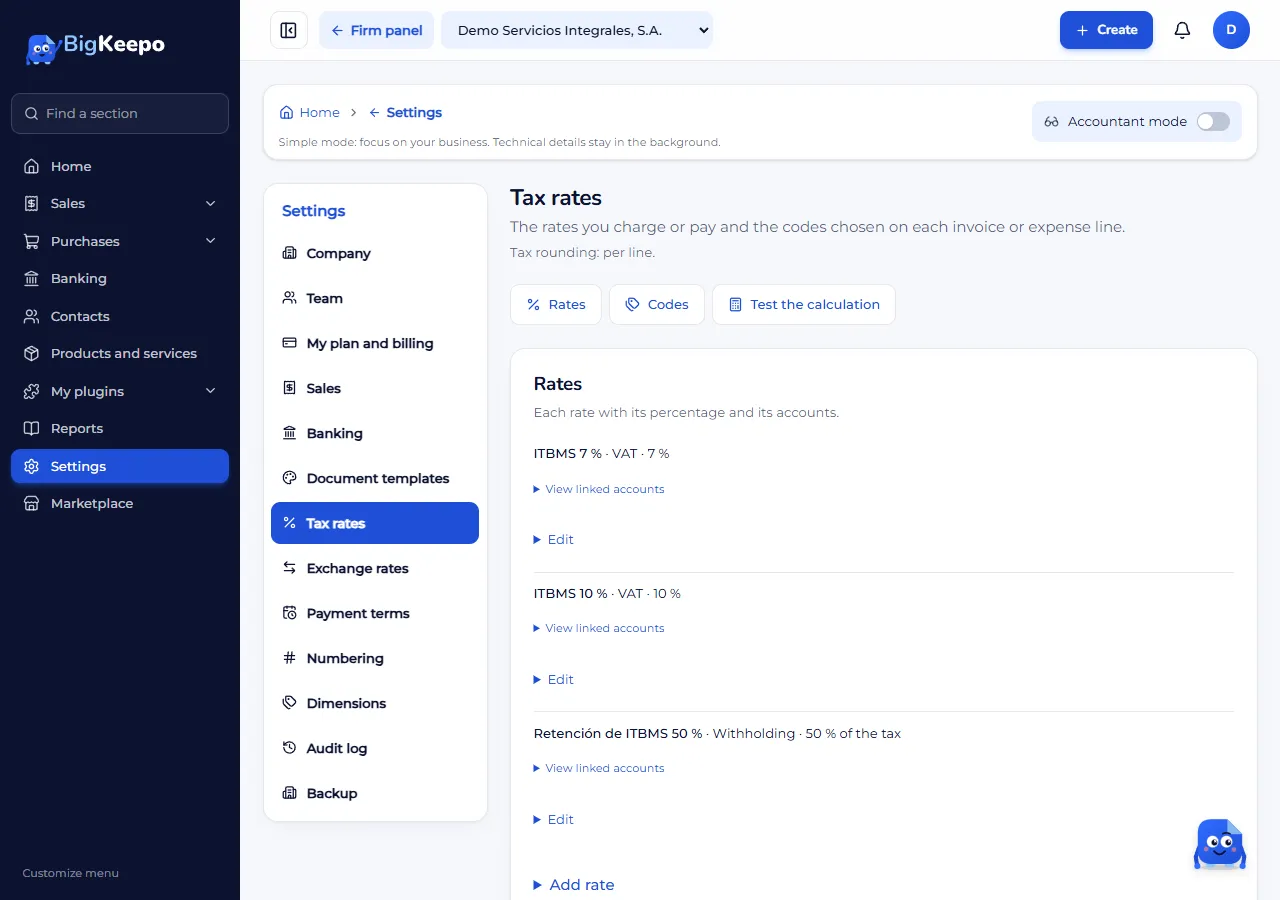
Review the list. Each rate has a type: Sales tax, VAT, Withholding, Excise tax or Other.
Expected result
The rates appear in the list and can be chosen when you make an invoice or an expense.
If something goes wrong
"Load country taxes" does not appear: you may have already loaded them, or your country may not have ready-made taxes yet.
You do not see this screen: your role may not allow it. See Invite your team.
Related articles
Was this helpful?