
Help topics
Record a manual journal entry
How to make an entry by hand, post it or save it as a draft, and how to reverse it if there is a mistake.
What it is for
BigKeepo creates most entries by itself when you invoice, collect or pay. The manual entry is for adjustments that do not come from any document. A posted entry is not edited or deleted: it is reversed.
Before you start
Turn on Accountant mode. Have the accounts you will use and the amounts at hand: the Debit total must equal the Credit total.
Steps
Open Accounting › Journal entries and select New journal entry.
Enter the Date and the Description, for example "October closing adjustment".
On each line, choose the Account and enter the amount in Debit or in Credit. For more lines, select Add line.
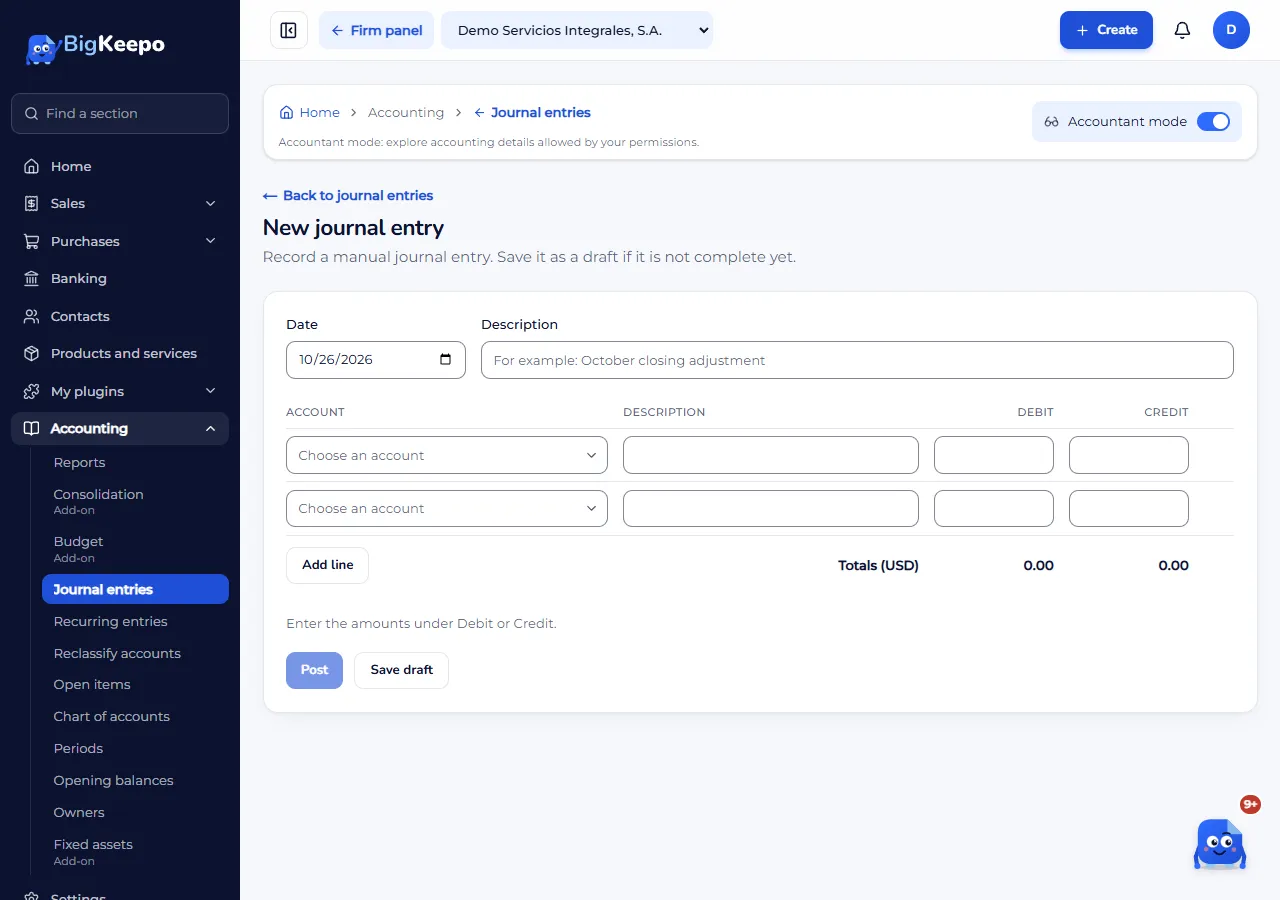
When the totals match, you will see The entry is balanced.
Select Post. If it is not complete yet, select Save draft.
Expected result
A Posted entry gets its number and goes into the reports. A Draft does not count until you post it.
If you made a mistake: reverse the entry
Open the posted entry.
In Reverse this journal entry, enter the Reversal date (not earlier than the entry date) and the Reason.
Select Reverse.
A mirror entry is created that cancels the effects of the original. The original is not deleted: it is marked Reversed.
If something goes wrong
The Post button is not enabled: the Debit and Credit totals do not match, or an account is missing.
It does not let you record on that date: the month is closed. See Close a month.
You want to check the effects of a change: use the journal.
Related articles
Was this helpful?