
Help topics
Add your bank account
Add your bank, cash, credit card or digital wallet accounts to keep your money up to date.
Add the account
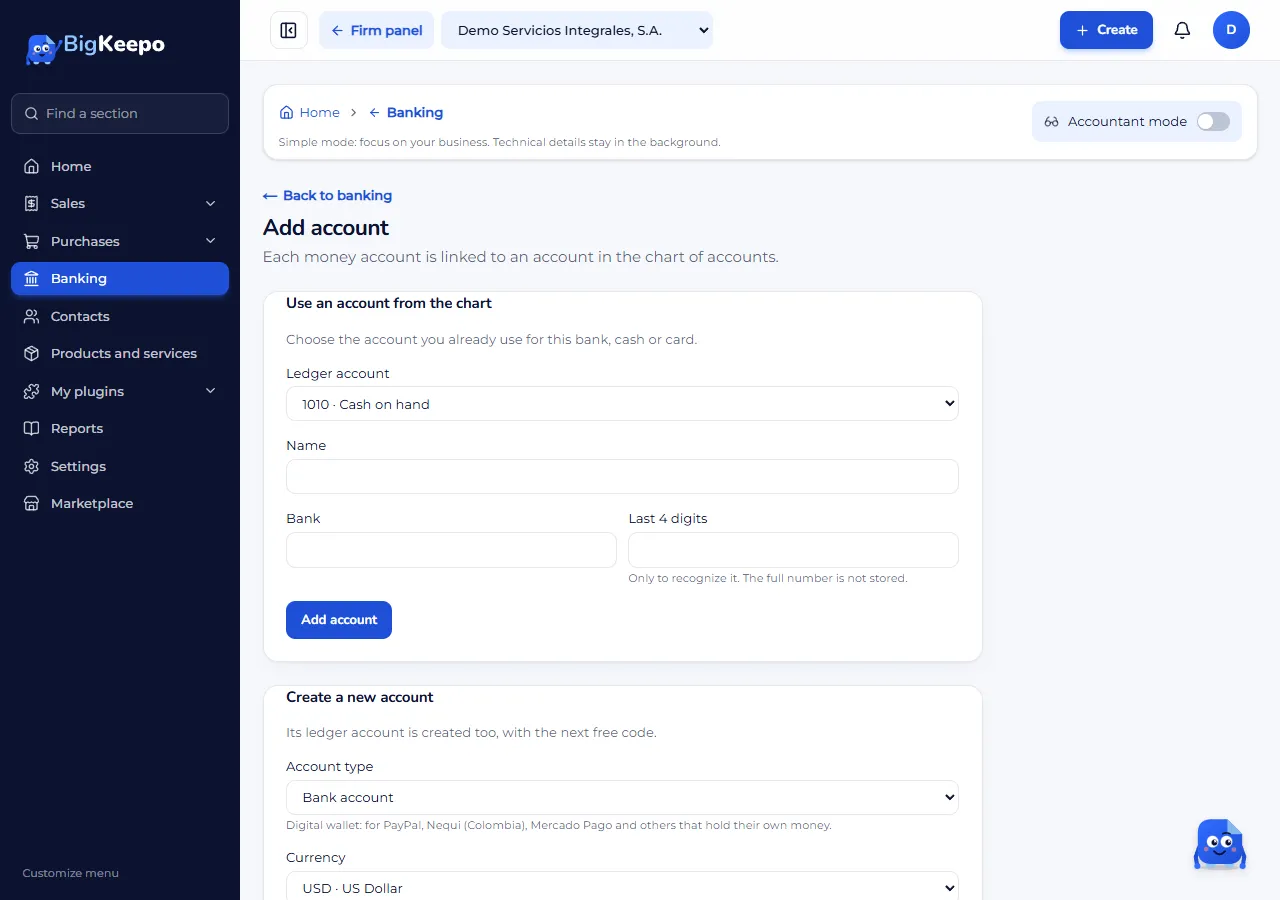
In the menu, open Banking and select Add account.
Choose how to create it:
Create a new account: choose the Account type: Bank account, Cash, Credit card, Payment processor or Digital wallet.
Use an account from the chart: if your accountant already created the account in the chart of accounts, choose it in Ledger account.
Enter a Name you will recognize, the Bank and the Last 4 digits.
Select Add account.
Before you start
To add a bank account, the owner must have two-step verification turned on. A Cash account does not need it.
If your plan handles several currencies, you will see the Currency field. Accounts in another currency come with the Business plan.
The owner, admin, accountant and bookkeeper can add accounts.
Next step
Import your bank statement to bring in your transactions.
Was this helpful?