
Help topics
Get to know BigKeepo
Where everything is: getting started, the menu, the Create button, Keepo and accountant mode.
Getting started
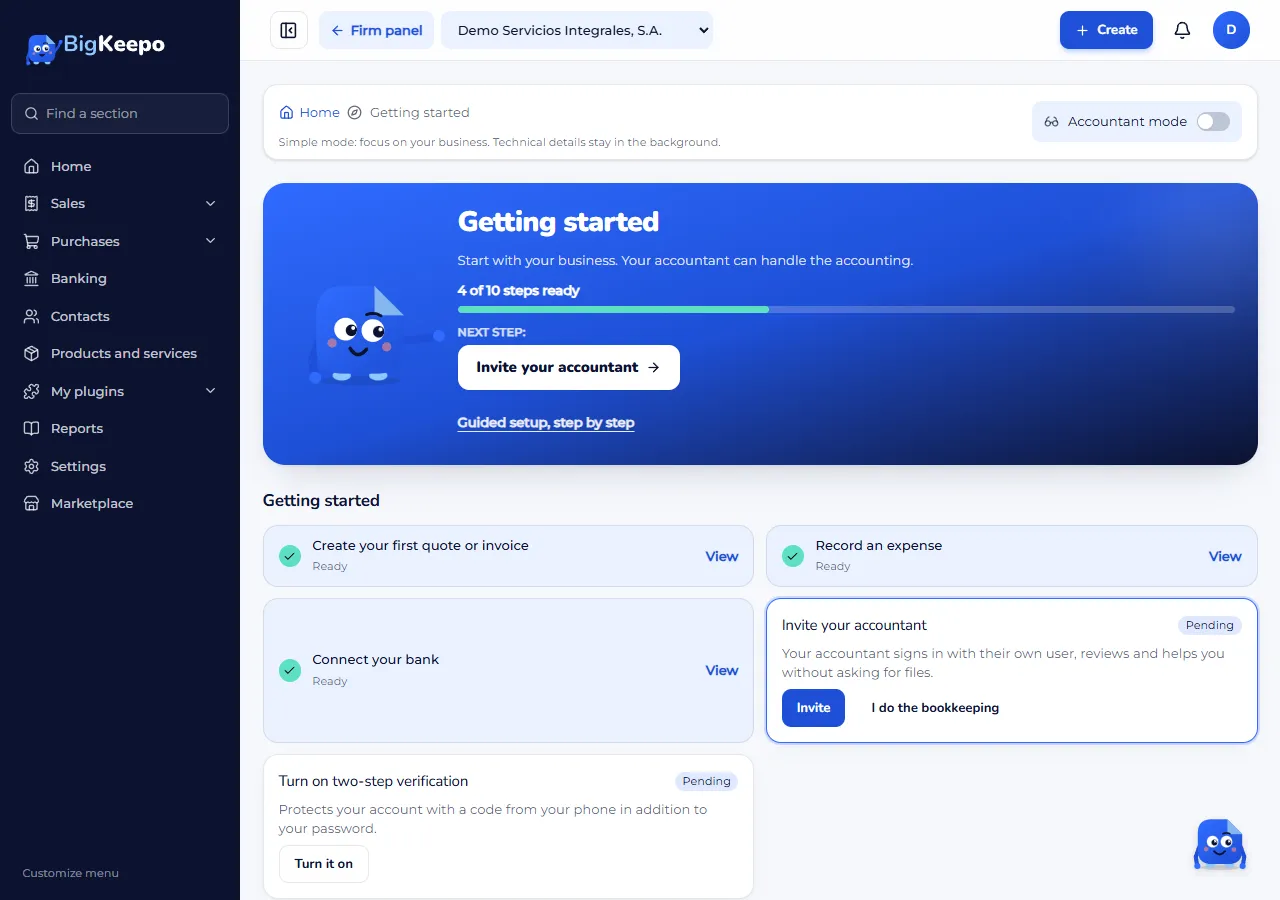
Getting started is your list to get the company ready. It is in the menu and on Home, where you will see First steps · 2 of 6 (for example) and the Continue button.
Getting started: your tasks, such as creating your first quote or invoice, Invite your accountant and Turn on two-step verification.
For your accountant: the chart of accounts and opening balances. Your accountant can do this for you.
The menu
The menu is on the left: Home, Sales, Purchases, Banking, Contacts, Products and services, Marketplace, Reports and Settings. You only see what your role and your plan allow.
The Create button
Create is at the top. Use it to make an invoice, a payment and other documents without searching the menu.
Keepo
Keepo lives in the bottom-right corner. Select it to see For today: what you have pending. From there you can also reach us with Need help? Write to us.
Simple mode and accountant mode
BigKeepo starts in simple mode: it talks about sales, expenses and money, without accounting terms. If you or your accountant want the full accounting, open your account menu (your photo or initial, top right) and turn on Accountant mode. The Accounting group appears with the journal, the accounts and the accounting reports.
Was this helpful?