
Help topics
Correct an invoice with a credit note
Refund or discount a customer after the invoice is issued, and apply the credit.
What it is for
A credit note corrects an invoice that has already been issued when the customer returns something or gets a discount. If what you want is to cancel the invoice because of a mistake, see Correct or void an invoice.
Before you start
Have the issued invoice. Only the owner, the admin, the accountant and the bookkeeper can issue credit notes.
Steps
Open Sales › Credit notes and select New credit note. If you start from an invoice, it is faster to select Create credit note inside it.
Choose the Customer. In Invoice it corrects, choose the invoice; if you choose none, it stays as a credit in the customer's favor.
Check the Date, the Currency and the lines with the amounts to return.
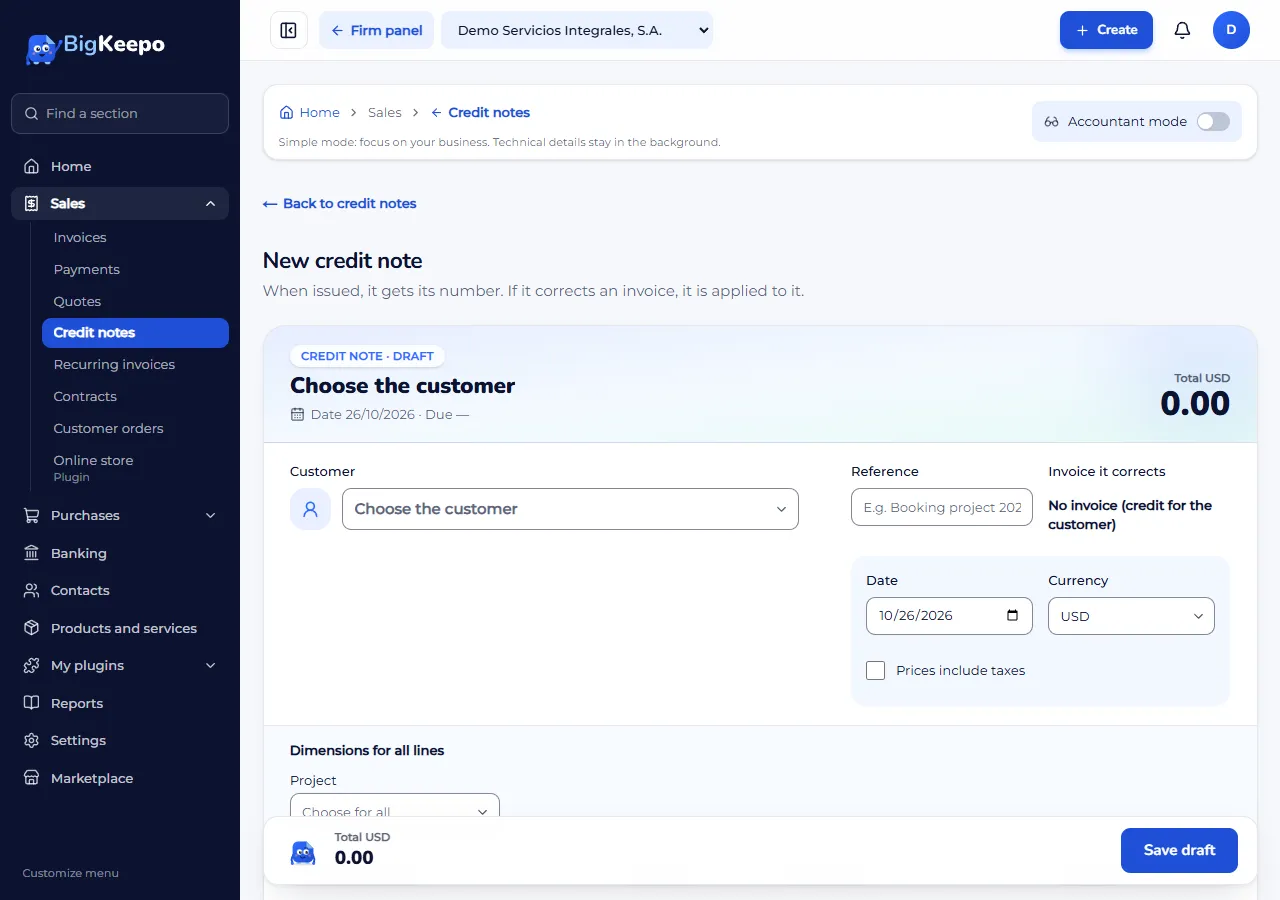
Select Save draft.
On the draft, select Issue credit note and confirm with Yes, issue. It gets its number and becomes Has credit.
If it corrects an invoice, the credit is applied to it. If not, select Apply credit, choose the Invoice and enter the Amount.
Expected result
The note becomes Applied when its credit has been used in full, and the invoice shows a smaller balance.
If something goes wrong
It says the amount exceeds the invoice balance or the available credit: enter a smaller amount.
It says credit notes do not carry withholdings: remove that tax from the lines.
It was applied by mistake: select Undo. To cancel the note, select Void credit note.
You want to delete a draft: select Discard draft.
Related articles
Was this helpful?