
Help topics
Control your stock
Record what you have when you start and see how much is left of each product, where it is and what it is worth. Purchases add to it and sales subtract from it automatically.
What it is for
Inventory tells you how much you have of each product, in which warehouse and what it is worth. The cost is a weighted average: it changes with each purchase. Each purchase adds to your stock and each sale subtracts from it, on their own, at the average cost.
Before you start
The products that keep stock are the ones of the Inventory product type. If you do not have one yet, see Add products and services.
Steps
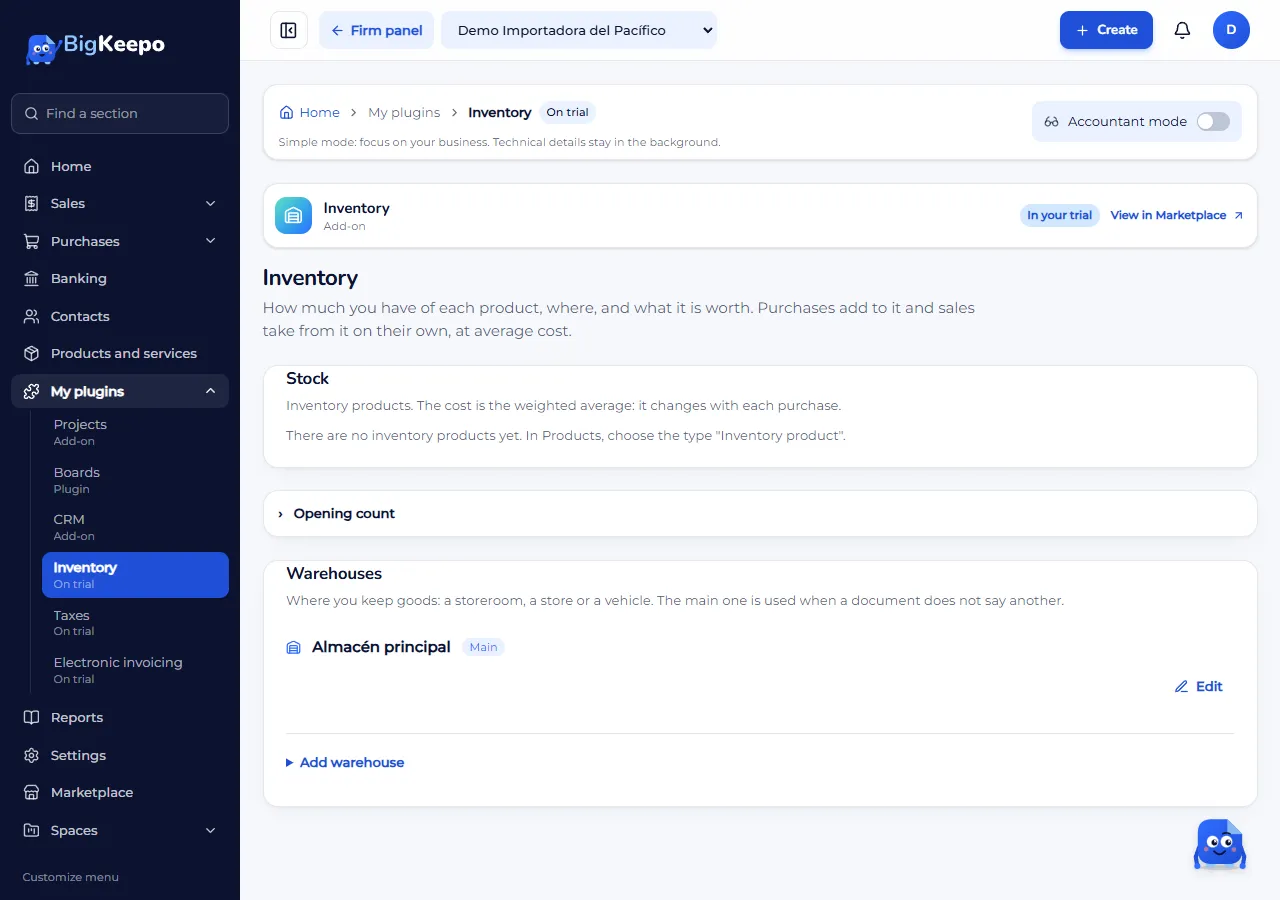
Open My plugins › Inventory. At the top you see the Stock list and, further down, Opening count and Warehouses.
Create your product: in Products and services, select New product or service and, in Type, choose Inventory product. Choose its Inventory account: what you buy of this product goes there, and when you sell it, it goes out to cost of sales.
Record what you already have. In Inventory, open Opening count. Choose the Count date and, if you have more than one active warehouse, the Warehouse. Enter the Quantity and the Unit cost of each product and select Record the count. The count is only for products with no movements yet. With Accountant mode on, it enters against Opening balances to load (3900).
Add goods by buying. Record the purchase with a vendor bill, as explained in Record a vendor bill and its payment, and choose the product on each line. When you approve the bill, stock goes up and the average cost is recalculated. Inventory products are not recorded as a paid expense: they come in with a vendor bill.
Subtract goods by selling. When you issue the invoice, stock goes down at the average cost of that moment.
See how much you have. In Stock each product shows On hand, Average cost and Value, and at the bottom the Inventory total. A product at zero says No stock.
To see every movement in and out of a product, select See stock card on its row. Each movement shows the Date, the Movement (for example Purchase or Sale), the Warehouse, what comes In or goes Out, the Cost, the Balance, the Value, the Average and the Document that caused it. The newest comes first.
To keep goods in several places, use Warehouses (a storeroom, a store or a vehicle). Select Add warehouse, enter the Name (the Code and the Address are optional) and select Add warehouse again. Make main chooses the one used when a document does not say another. Turn off and Turn on remove it or bring it back; Remove takes it off the list.
Returns
When you issue a credit note with inventory products, the The goods come back to the warehouse box appears. Check it if the customer returned the products; if it is only a discount, leave it unchecked. On a vendor note, the The goods leave the warehouse (returned to the vendor) box works the same way. See Correct an invoice with a credit note.
Expected result
Stock shows the quantity, the average cost and the value of each product, and at the bottom the Inventory total. The opening count is in inventory and in the books. Each movement stays in the stock card with the document that caused it.
What it does not do yet
Coming soon: adjustments for loss or damage, transfers between warehouses and physical counts. Today stock moves with purchases, sales, credit notes and the opening count.
If something goes wrong
It says «… are missing in the warehouse»: there is not enough of that product for the sale. Record the pending purchase and issue again.
It says «One of the products already has movements»: the opening count is only for starting. Take it off the count list.
You do not see the cost columns: your role does not see costs and only sees quantities. Ask the owner, the administrator or the accountant for the change.
You do not see the opening count or the warehouse buttons: they are seen by whoever manages Inventory: the owner, the administrator and the accountant.
You cannot remove a warehouse: the main one cannot be turned off or removed; choose another main one first. You also cannot remove one that has stock.
It says «Your plan does not allow more warehouses»: turn one off or change plans. See Your plan and your billing.
It says your plan does not include Inventory: request it from Marketplace.
Related articles
Was this helpful?