
Help topics
Backup and portability of your data
Create a ZIP package with all your company data, which opens without BigKeepo, and check that nothing changed.
What it is for
The Backup package gathers all your company data in a ZIP file that opens without BigKeepo. It works as your own copy and for taking your information with you whenever you need.
Before you start
Only the owner and administrators can create and download the backup.
You will be asked for your security code (two-step verification) if you entered it more than 10 minutes ago. See Turn on two-step verification.
You can create up to 3 packages per day.
Steps
Open Settings › Backup.
Read What the package includes.
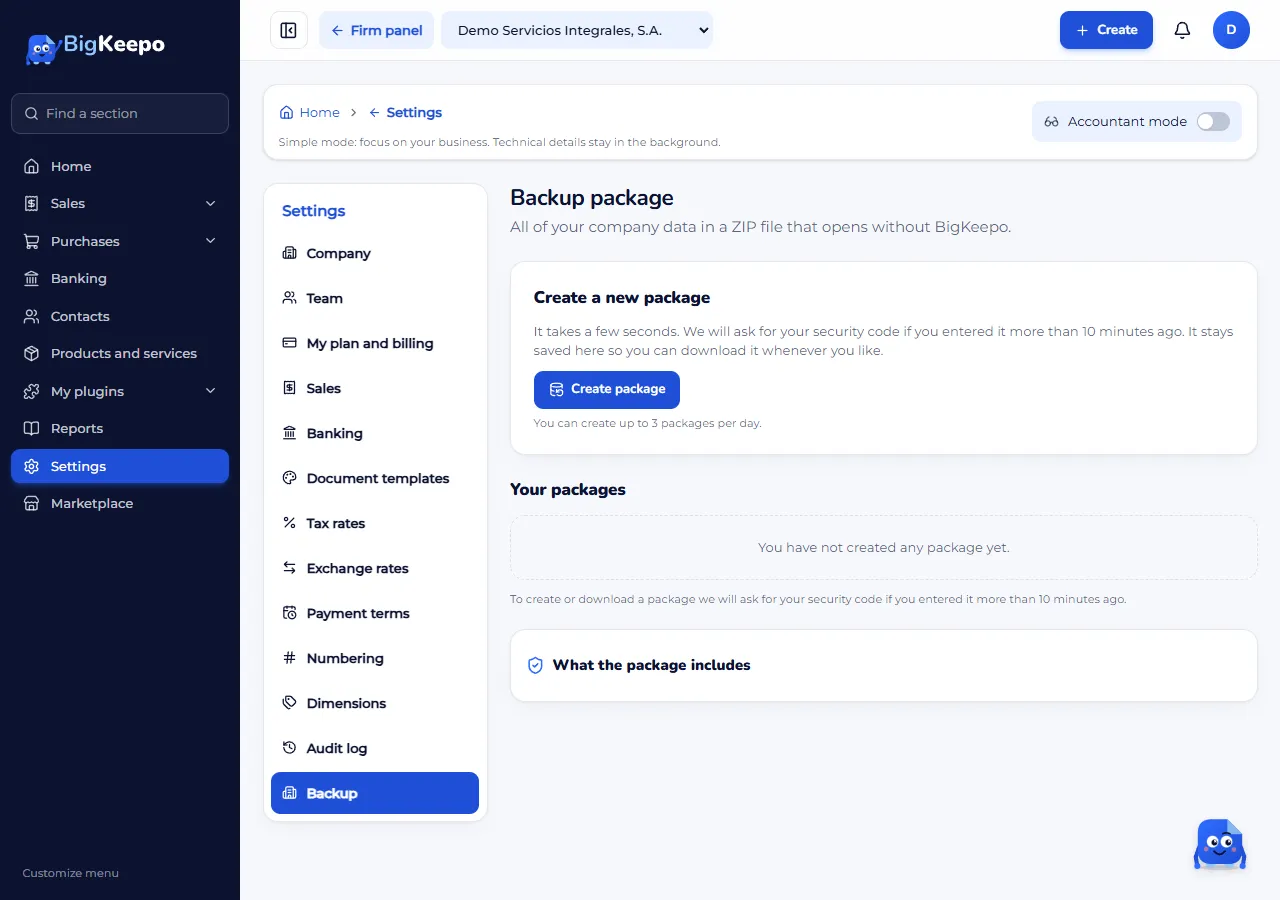
Select Create package. It takes a few seconds and is saved.
In Your packages, select Download on the one you want. Each package shows its size, its tables, its rows and its Fingerprint; with Copy you copy it to compare later.
What the package includes
One CSV file per table, with everything you recorded.
The column dictionary, to understand every field.
The accounting ledger in SAF-T format.
Your attached files (invoices, receipts, documents).
A README and the SHA-256 fingerprints to verify nothing changed.
Keys, tokens and encrypted data are not in the package.
Expected result
The package shows as Ready and downloads. If the ledger did not balance, it shows With differences: you can download it, but review the differences before using it as a backup.
If something goes wrong
It says "You already created 3 packages today": try again tomorrow.
It says "This company has a mixed account": only the owner creates and downloads the backup. See Mixed bank account.
I could not save or find the package: try again in a moment.
A file was left out: the package names it in its README.
Related articles
Was this helpful?