
Help topics
Create your first project
Create a project, add tasks with an owner and a date, and follow its progress as a list, board or calendar.
What it is for
A project gathers the work for a customer or for your team: tasks, owners and dates. You see how many tasks are done and which ones are due.
Before you start
If the project is for a customer, add them first. Have the start and delivery dates at hand, if you already know them.
Steps
Open My plugins › Projects. Each project is a card with its progress (for example, 1 of 4 tasks done), its owner and its due date. The buttons Active, On hold, Completed, Canceled and All filter the list.
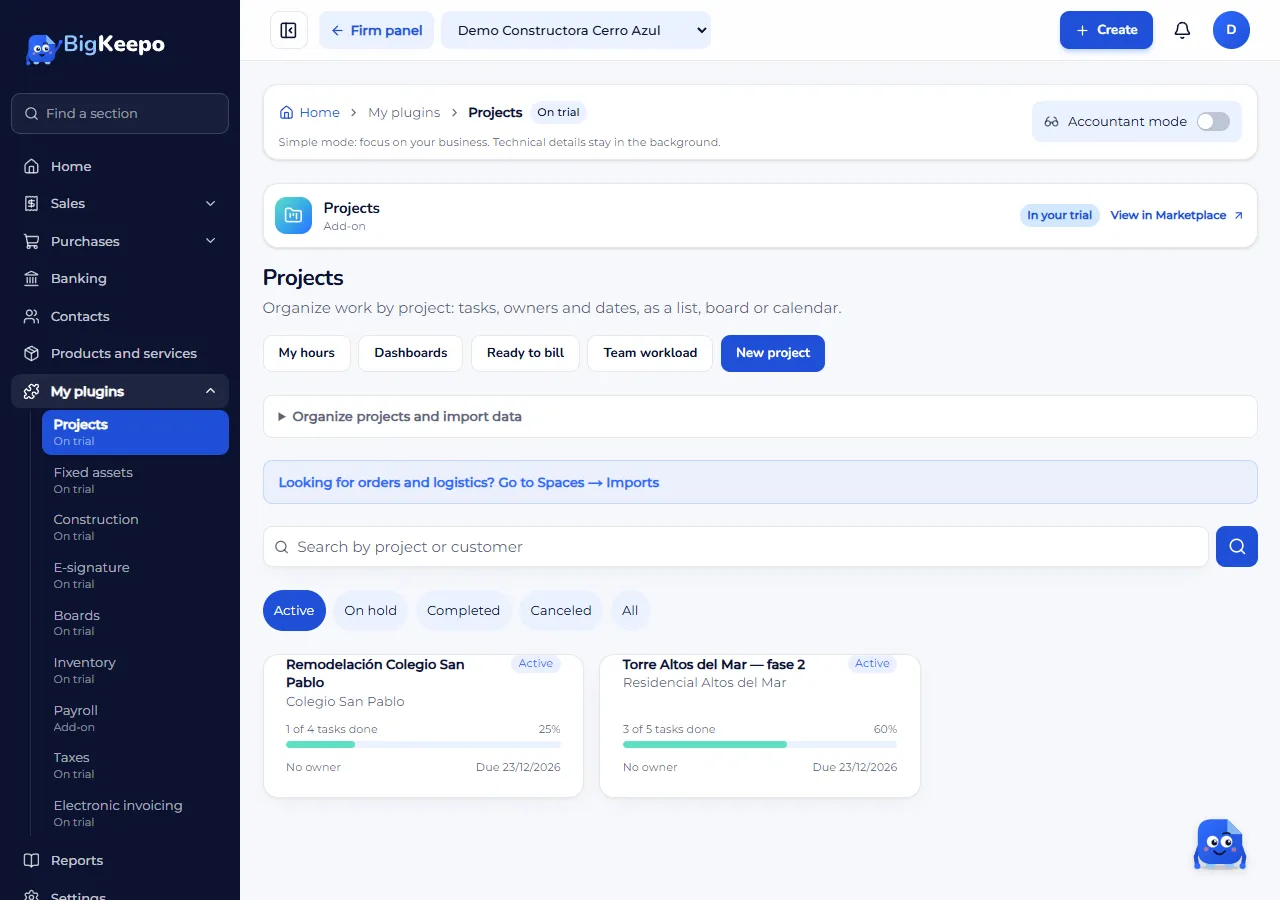
Select New project.
In Start with, leave Blank or choose a template under From your company or To get started, from BigKeepo. A template brings columns, phases, tasks, milestones and fields. Blank, the project starts with the columns To do, In progress, In review and Done, and no tasks.
Type the Name. It is the only required field.
If you wish, fill in the Code (it cannot repeat between projects), the Customer, the Owner, the Start and the Due date. In Currency leave the books currency or choose another: the project budget, rates and invoices use that currency. Choose the Color and write the Description.
Select Save. The project opens in Overview, with the Progress, the Overdue tasks, the Days left and the Next milestone.
Select List. In Type a new task write the name of the first task and select Add. Repeat for each one.
To add details, open the task. You can choose the Status, the Priority, the Assignee, the Start, the Due date, the Labels and the Planned hours. Select Save.
When a task is finished, select Mark as done. The project progress updates by itself.
To see the work another way, use Board (drag the cards between columns or use Move to) or Calendar (each task shows on its due date).
Expected result
The project appears in the list, under Active, with its progress.
Each task shows its owner and its date. Tasks with a date show in Calendar.
To pause or close it, use Change status in the project: Active, On hold, Completed or Canceled.
If something goes wrong
You do not see the New project button: your role cannot create projects. Ask whoever manages the company.
It says "Another project already uses that code": type another code or leave it empty.
It says "The due date is before the start": fix one of the two dates.
It says "Your user does not have access to Projects": ask the administrator to review your access. The projects were not deleted.
You cannot find a project in the list: try the All button or search by project or customer. Completed and canceled projects do not show under Active.
Related articles
Was this helpful?