
Help topics
Close a month and a fiscal year
How to close each month once it is reviewed, what changes when it is closed and how to reopen it.
What it is for
Closing a month stops anyone from recording or changing anything on those dates, so the reviewed figures do not move. You close month by month, in order.
Before you start
Turn on Accountant mode.
Post or discard the Drafts dated in that month: while there are drafts, you cannot close.
If the previous month is still open, close it first.
Steps
Open Accounting › Periods. Choose the year with Previous year or Next year.
Each row shows the Month, the Entries, the Drafts and the Status.
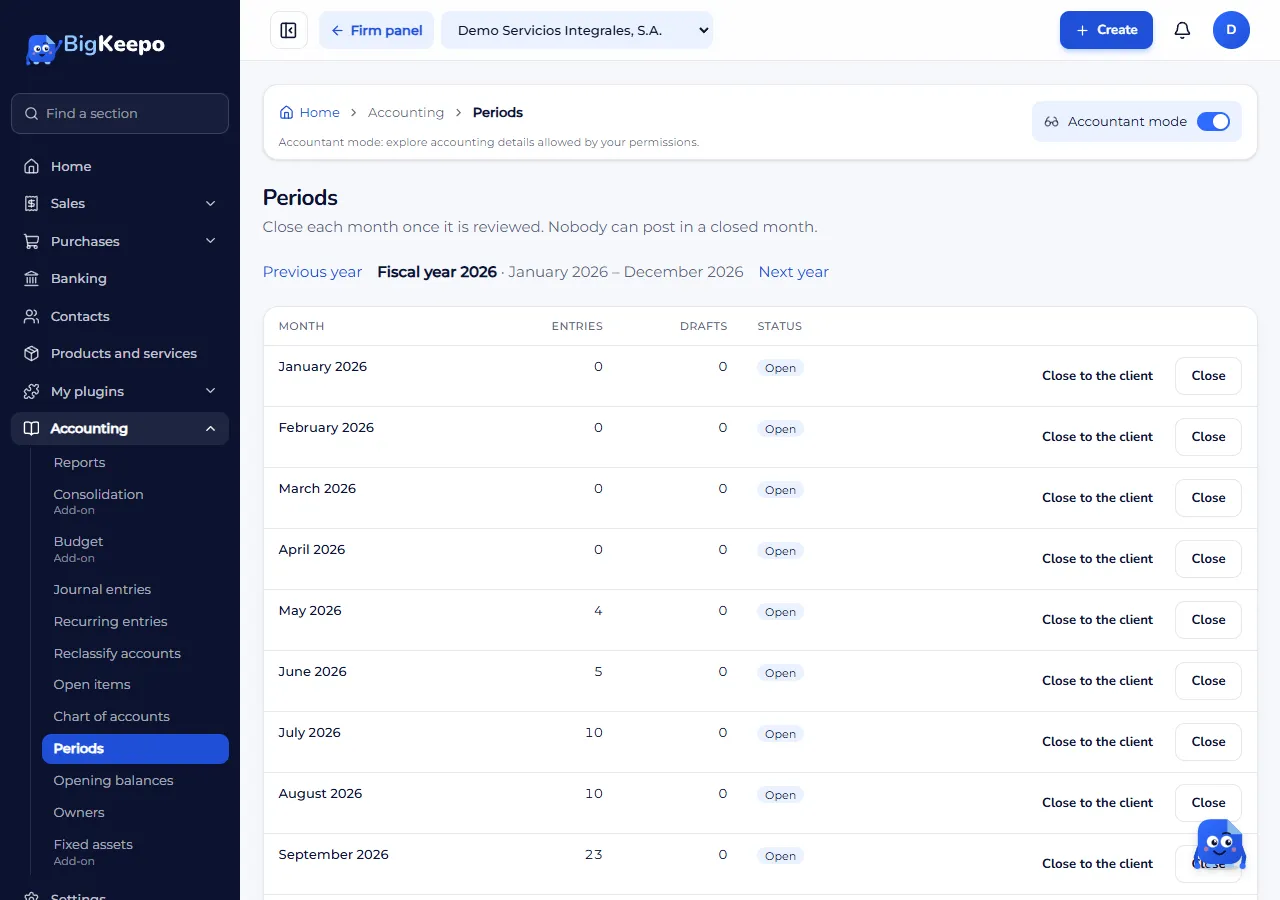
Select Close on the reviewed month. The status changes to Closed: nobody can record.
If you want only the accountant or the administrator to still be able to record, use Close to the client. The status changes to Closed to the client.
Reopen a month
Select Reopen on the month. Months reopen starting from the latest one.
Enter the Reason (kept in the audit log) and select Reopen the month.
Close the fiscal year
When all 12 months are closed, Fiscal year closing shows Close the fiscal year. When you close it, the result of the year moves to equity. To undo it, select Reopen the year; the months stay closed until you reopen them.
Expected result
The month shows as Closed and accepts no entries. The change is recorded in the audit log.
If something goes wrong
It says "There are drafts dated in that month": post or discard them.
It says to close the previous month first: months close in order.
It says some automatic processes are still running: wait a few minutes. If it continues, write to support from Help and support.
It says "The Retained earnings account is missing": check your chart of accounts.
Related articles
Was this helpful?