
Help topics
Accounting reports and the auditor package
Where the balance sheet, the income statement and the cash flow are, how to download them and how to prepare the auditor package.
What it is for
The reports come straight from the general ledger: you do not have to build them. They help you see how the company is doing and give figures to your accountant or an auditor.
Before you start
In Reports, simple mode shows four cards: How you are doing, What you have and what you owe, What you are owed and What you need to pay. With Accountant mode on, you see the full list of reports.
Open a report
In the menu, open Reports (or Accounting › Reports with accountant mode).
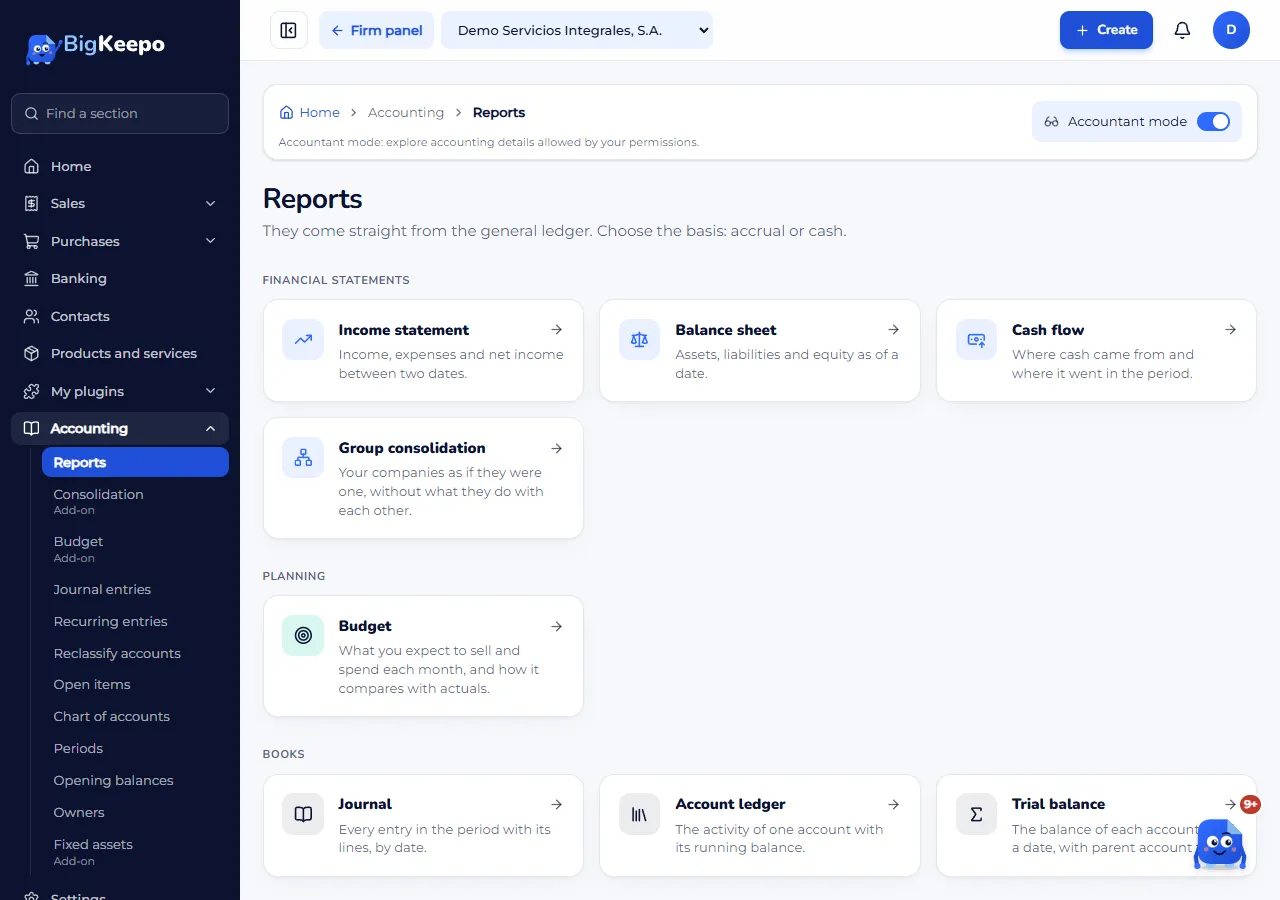
Choose the report. Among others, there are:
Balance sheet: assets, liabilities and equity on a date.
Income statement: income, expenses and result between two dates.
Cash flow: where cash came from and where it went, by operating, investing and financing activities.
Trial balance, Account ledger and Journal.
Customer and vendor balances and the Accounts receivable aging and Accounts payable aging.
Choose the dates with From and To (or As of, in the balance sheet) and select View. In the reports that offer it, choose the Basis: accrual or cash.
Download it
In each report, select Download Excel or Download PDF. The file carries the same dates, the same basis and the same currency as the screen.
Auditor package
The Auditor package is an Excel file with one sheet per report for the period: trial balance, income statement, balance sheet, journal, balances and aging.
With Accountant mode on, scroll to the bottom of Reports and find the Auditor package box.
Choose the period with From and To (the start date must be before the end date).
Select Prepare package. When it finishes, the file downloads by itself.
Expected result
You see the report on screen and have the file to save or send. The balance sheet shows Assets equal liabilities plus equity when the totals match.
If something goes wrong
It says "The totals do not match. Let your accountant know": do not change anything; ask your accountant for help.
It says "I could not prepare the package": try again in a moment.
You do not see some reports: they come with add-ons such as Budget or Fixed assets; see Your plan and your billing.
The figures for a month changed: there may be new entries in an open month. Close the month to fix them: Close a month.
Related articles
Was this helpful?