
Help topics
Your plan and your billing
Where to see your plan, how much of it you use, what you have contracted, change the card, download your invoices, remove something and cancel.
What it is for
My plan and billing shows your company's plan, its status and when it renews. From there the owner manages the card, the invoices and the cancellation.
Before you start
Only the company owner manages the subscription. Everyone else sees the plan and its status.
Steps
Open Settings › My plan and billing.
Review the Plan (Starter, Business or Pro), the Status and, as the case may be, The trial ends or Renews on.
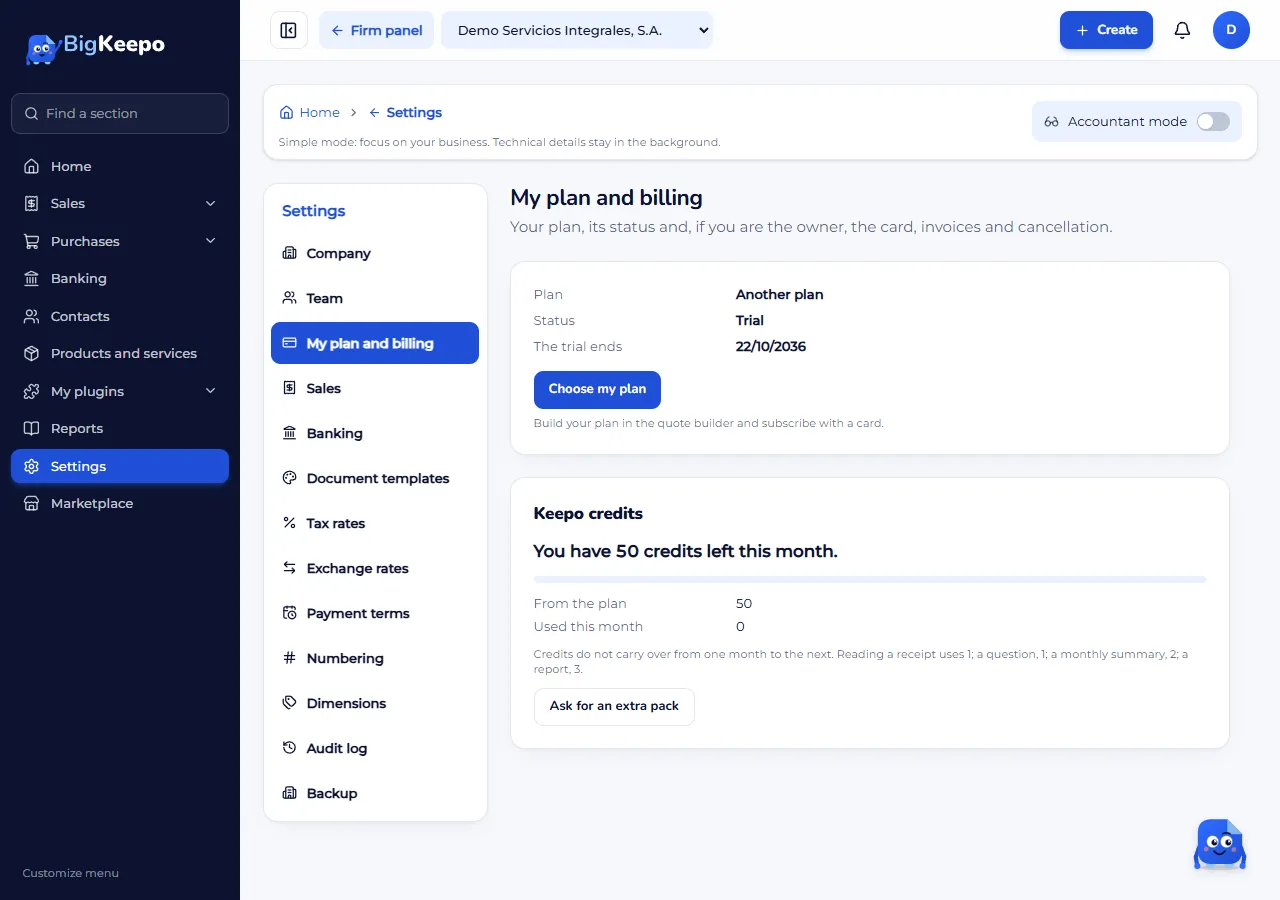
If you do not have a plan yet, click Choose my plan. The quote builder opens, where you build your plan and subscribe with a card.
If you already have a card subscription, click Manage my subscription. The payments portal opens: there you change the card, see your invoices or cancel.
The statuses
Trial: your 30-day trial is still running.
Active: your plan is up to date.
Payment overdue: the last payment was not collected. Update the card in Manage my subscription.
Restricted: your company has limitations because of the payment status. Write to us from Help and support.
Canceled: the subscription ended. Your data is not deleted.
Your plan usage
Below your plan you will see Your plan usage:
Files: how much space you use out of what your plan includes, for example “Uses 1.2 GB of 10 GB”. The bar changes color from 80%. When it reaches the limit you will not be able to upload new files until you free up space or ask for more with Ask for more space. What you already saved is not deleted.
Users: how many seats you use out of the included ones, for example “3 of 5 included”.
Only files have a cap. Everything else is only measured.
What you have contracted
The owner and the administrators see What you have contracted: every app, plugin, add-on, country pack and extra, with its status and date.
On trial: your trial is running. It shows when it ends.
Paid: it is up to date. It shows the next charge.
Ending soon: you already asked to remove it and it leaves at the end of the period.
Payment due: the last payment was not charged. Update the card in Manage my subscription.
Gift and Paid separately: they are not charged to a card. It shows until when they are valid.
Only the owner sees the list price of each item and the Total per month. These are list prices: if your company has a different agreement, the actual charge may vary. Plugins always appear marked as plugins.
To add or remove something
Add: press Add an app. The quote builder opens.
Remove: press Manage my subscription. What you remove leaves at the end of the period and your data is kept: the feature is hidden or read-only, never deleted.
Keepo credits
On the same screen you will see Keepo credits: how many you have left this month, those from the plan, those from extra packs and those used. Credits do not carry over from one month to the next. If you need more, click Ask for an extra pack.
Expected result
You see your plan and its status up to date, and you can open the payments portal whenever you need it.
If something goes wrong
It says "There is no card subscription to manage yet.": choose your plan first with Choose my plan.
It says "Only the company owner can manage the subscription.": ask the owner to do it.
The payments portal does not open: try again in a few minutes. If it stays the same, write to us from Help and support.
It says the company is for internal use: that company is not charged.
Related articles
Was this helpful?